To upload images to use in your listings you should follow these instructions:
Note: All images & videos must have unique titles. If you upload a duplicate, it will replace the original file.
There is an article on how to upload videos, you can view that here.
There is a video for this article, to view it now click here.
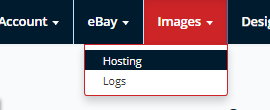
- Navigate to Images > Hosting:
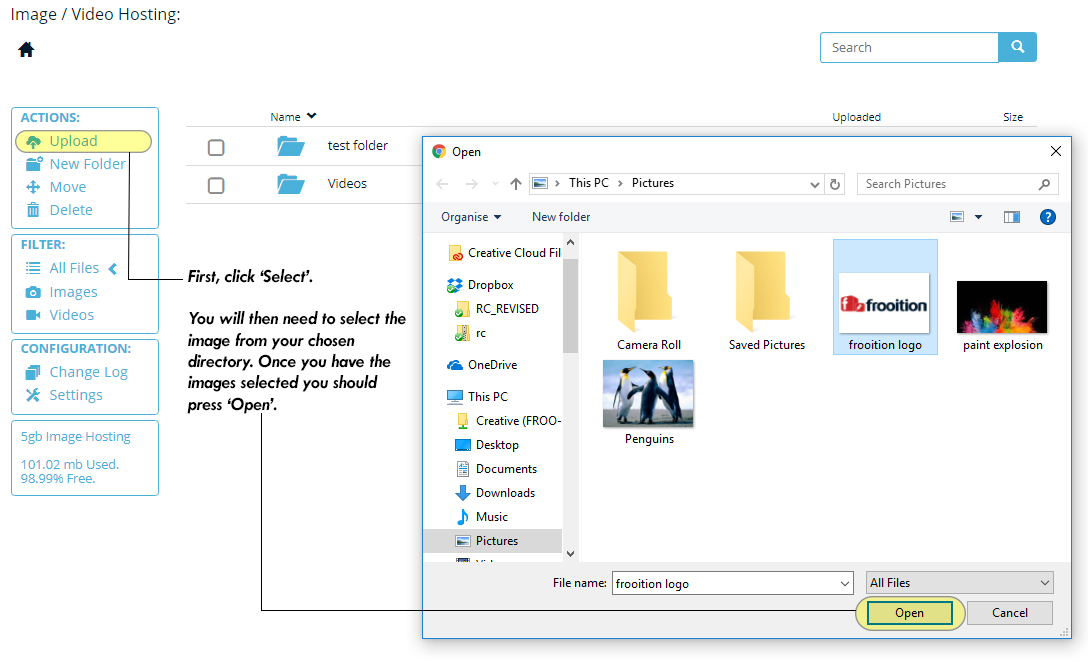
- Click upload, locate your images and click 'Open'. You can select multiple images by holding CTRL and clicking the thumbnails.
- Create a new folder if you don't have any, this will help you organise your images
- You can now confirm the selection and click 'Confirm Upload'.
- The more files & the larger the file sizes will give you a longer upload time, It's not a lengthy process so don't worry!

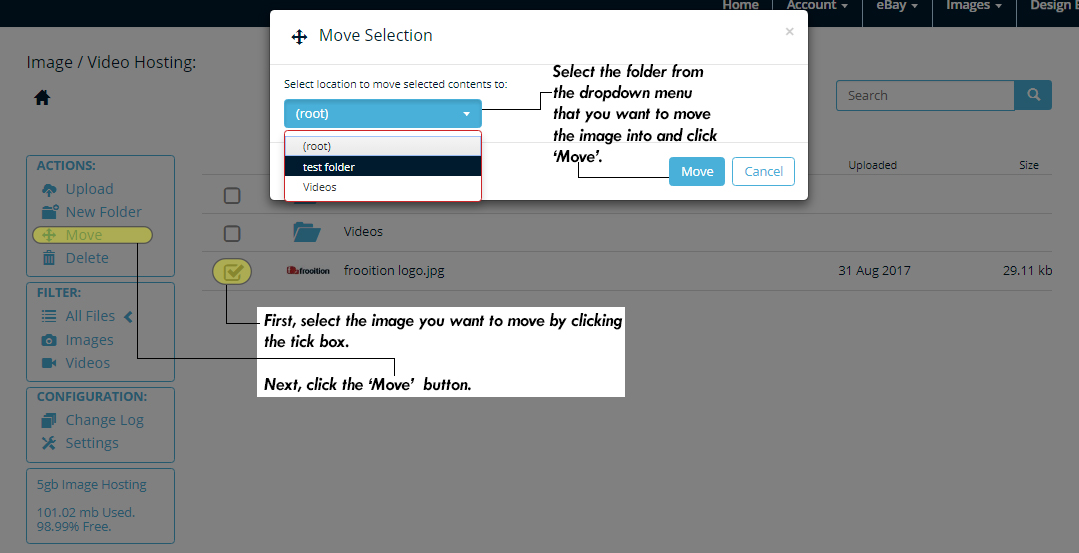
- Once the image has been uploaded you can move the image into a folder by clicking the selection box and then clicking 'Move', you will then need to select the destination folder.
This video will give you a live guide on how to follow the above steps:
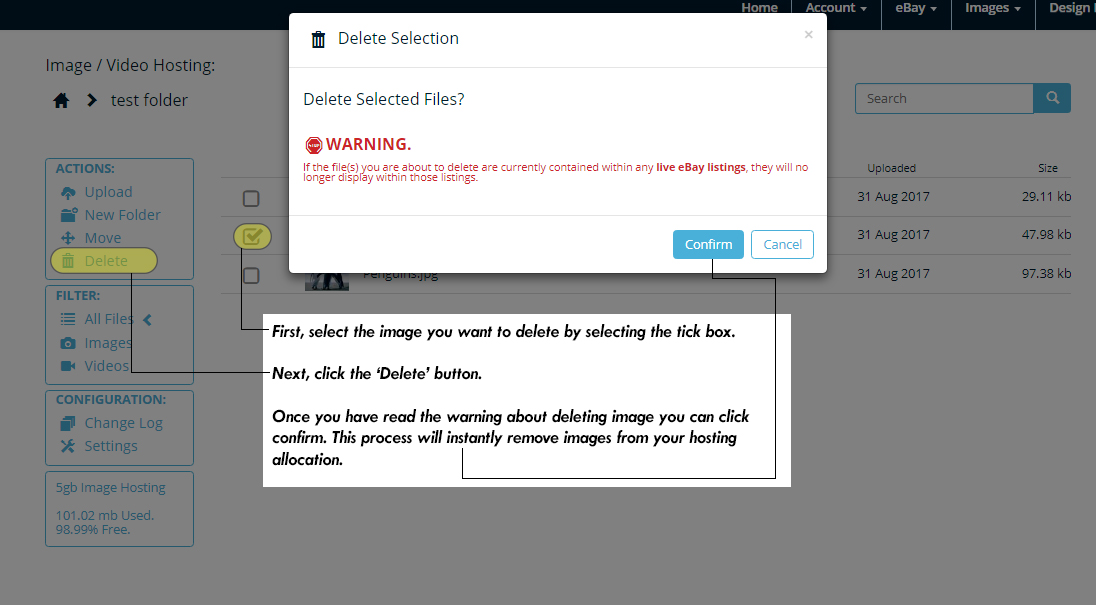
Images can be deleted at any point to increase your hosting allocation. Simply select the image using the tick box and press delete, you will need to confirm this selection. See the image below:
Note: Deleting images will remove them from any listings that they may be used in. |
Was this article helpful?
That’s Great!
Thank you for your feedback
Sorry! We couldn't be helpful
Thank you for your feedback
Feedback sent
We appreciate your effort and will try to fix the article